
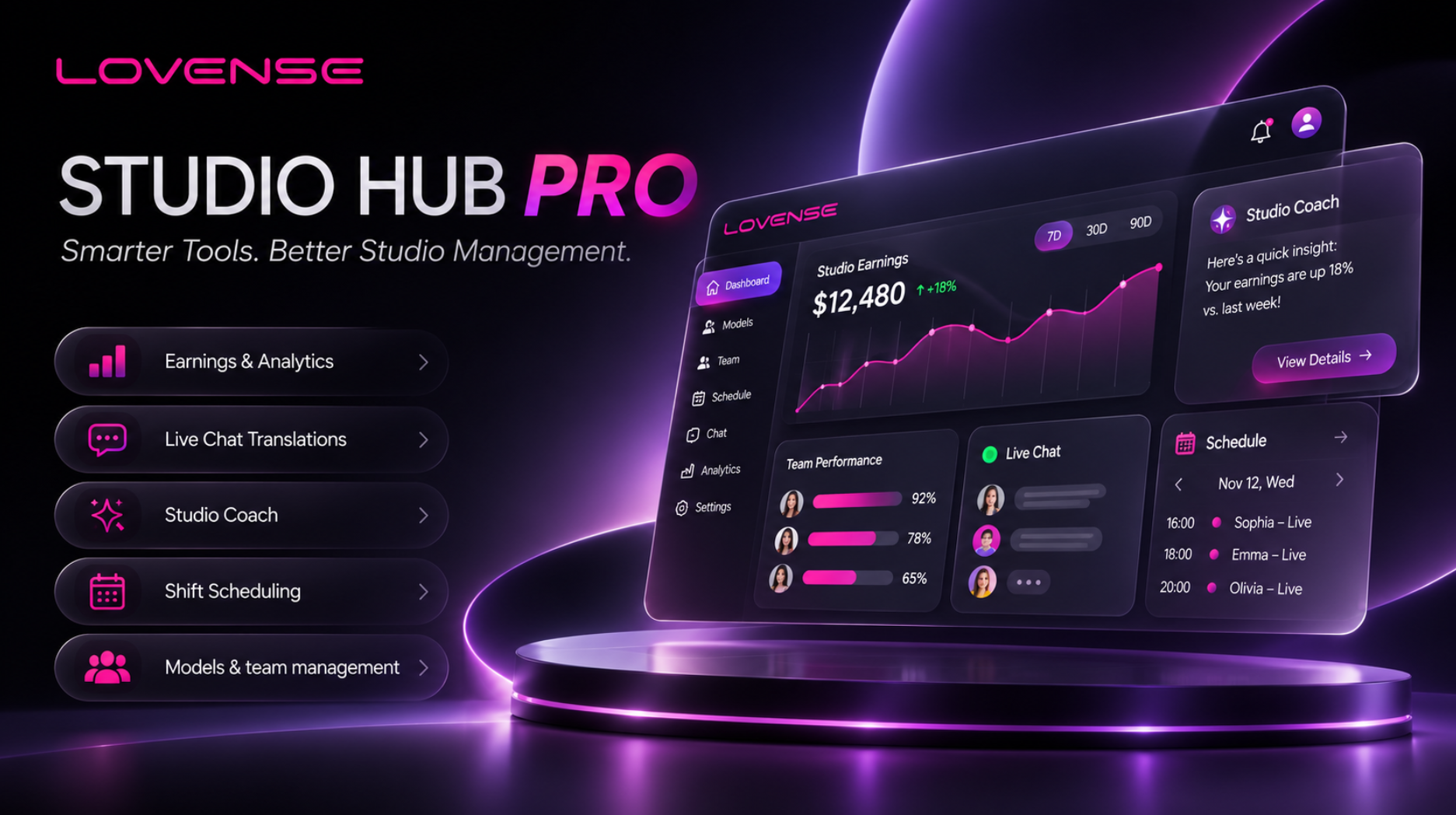
Lovense launched Studio Hub Pro, an upgrade to its management platform for cam studios. It is live now at studio-hub.lovense.com and free for studios to use. Owners and Monitors sign in with a Lovense account. From there they track earnings, chat, schedules and model performance in one place.
Studio Hub started inside Cam Extension, the Lovense browser tool models use to link their toys to tips. Studio managers used it to follow model data across cam sites. Studio Hub Pro brings that work to a standalone web platform, so Owners and Monitors don’t need the extension installed. Models keep streaming with Cam Extension as before.
“This year we sat down with studio teams,” said Dan Liu, CEO of Lovense. “We kept hearing the same requests. Owners wanted the numbers in one place and a schedule the whole team can see. Monitors wanted help with viewers writing in other languages. Studio Hub Pro is our answer, and we made it free. Studios are a big part of the camming community, and we want to support them the way we support models.”
Earnings from six platforms in one view
Every cam platform reports earnings in its own dashboard. In Studio Hub Pro, Owners see Chaturbate, Stripchat, BongaCams, Cam4, CamSoda and MyFreeCams side by side, all counted in US dollars. They can break revenue down by model, platform and time slot. They can also save daily, weekly or monthly reports as PDFs.
The data comes in through each model’s Cam Extension, and no platform passwords are involved. That link also ties the numbers to the Lovense ecosystem. Managers can see how much of a model’s tips came in while each Lovense toy was connected.
Studio Coach, an AI assistant that can act
Studio Coach reads the studio’s data and answers questions. Managers can ask it why a channel dropped. They can also ask how to use Cam Extension, the cam platforms or Lovense toys.
Once a studio has two weeks of data, Coach suggests the three actions most worth doing every Monday. They cover areas such as shifts, events and Monitor coverage, and each one shows the studio’s own numbers next to its usual baseline and a peer median.
Coach can do the work, too. It can connect toys, set tip levels, add cam sites, invite Monitors, create model profiles and schedule shifts. Coach shows what it will do first, and nothing runs until a manager confirms.
Live chat in the viewer’s language
With Unified Live Chat, Monitors see public and private messages from a model’s rooms in one window. During a shift, the primary Monitor on duty can answer viewers for the model, and Owners can read but not reply. Incoming messages appear in the Monitor’s language, and replies go out translated into the viewer’s. Every message sent goes into a tamper-proof audit log.
Shifts, rooms and daily reports
Managers plan shifts by model, room and Monitor with Smart Scheduling. The system blocks overlapping shifts for the same model or the same room. It can also turn each model’s weekly schedule into a message to send over WhatsApp or Telegram. Every day at 00:05 in the studio’s time zone, Studio Hub Pro generates a daily report. It lists each model’s hours, revenue and new fans, with AI analysis.
Model accounts and privacy
A model joins a studio by accepting an invitation inside their own Cam Extension. Studio Hub Pro does not collect ID documents, legal names or dates of birth.
Availability
Studio Hub Pro is live now at studio-hub.lovense.com and is free to use. Studio Owners apply to create a studio, and Lovense usually reviews applications within one to two business days. Monitors join with a Studio Code from their Owner. A five-step guided setup takes a new studio from its first Monitor invite to its first daily report.